Warning message
The warning message can be as shown in the below picture:
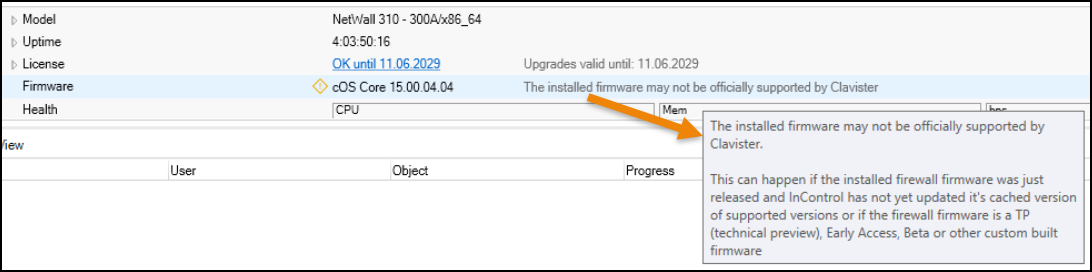
Note: This warning message can only trigger if InControl is linked to a https://my.clavister.com account.
Reasons
The reasons for this message is that the database of official versions in the InControl database does not match the installed version on the firewall. Some examples of situations where this can happen:
- The connection to the account on my.clavister.com is not working (e.g. the password was changed or is incorrect).
- InControl have not had Internet access for some time and a new firewall firmware was released without a new InControl version being released.
- A TP (technical preview) version is installed on the firewall.
Solutions
InControl’s version database is updated both when a new InControl version is installed and when InControl has internet access and can access the my.clavister.com account in order to fetch an updated release version database.
Solutions to the get rid of the warning can be:
- Make sure InControl has access to the Internet
- This can be given temporary and once the warning is gone, disable the Internet access again (if such a scenario). A restart of the InControl server will trigger an immediate database check.
- Make sure the correct credentials towards the my.clavister.com account is correct.
- If a TP version is installed, the warning cannot be removed until an officially released firmware is installed on the firewall.
Related articles
InControl alarm "Local changes have been detected" after firewall upgrades
25 May, 2021 incontrol alarm warning
25 May, 2021 incontrol alarm warning